Lights you should be seeing:
FTTN/FTTB - If your router is plugged in via a cable into a telephone socket
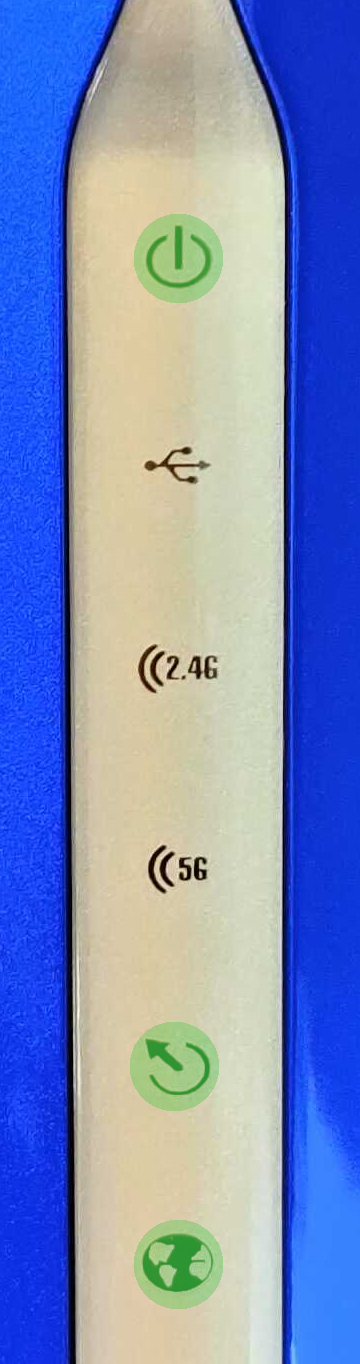 |
| Power |

|
On - Green |
| DSL |
 |
On - Green |
| Internet |
 |
On - Green |
|
You may also have lights on the other icons if you have wireless enabled or USB devices connected to the router.
FTTP/HFC/FTTC/Fixed Wireless - If your router is plugged in via a cable to a hand-off device (the nbn / OptiComm / LBNCo 'modem' on your wall)
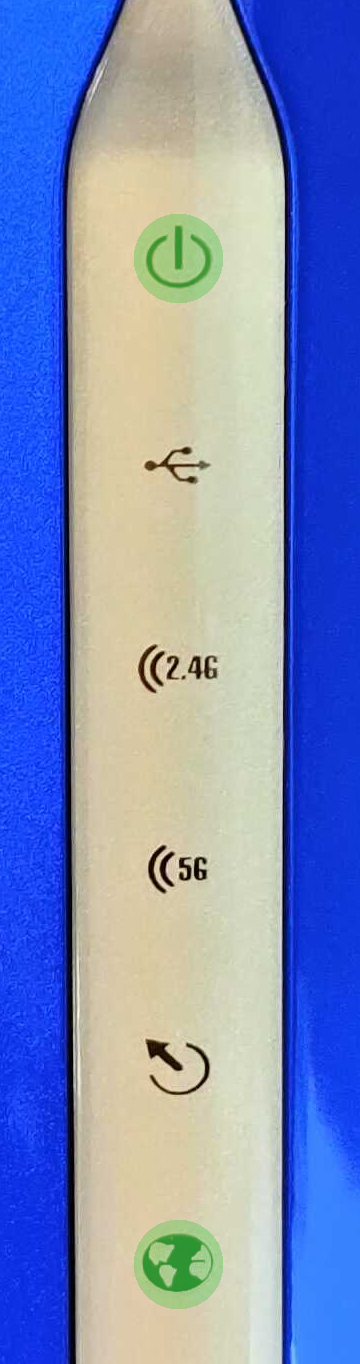 |
| Power |
|
On - Green |
| DSL |
|
Off |
| Internet |
|
On - Green |
|
You may also have lights on the other icons if you have wireless enabled or USB devices connected to the router.
If this does not match what you are seeing, please contact us for further support.
Overall light explanation:
| Name |
Status |
Indication |
|
Power
|
| Solid Green |
| Solid Red |
| Off |
|
| Power is on. |
| The light will be solid red during boot-up. |
| Power is off. |
|
|

USB 3.0/2.0
|
| Solid Green |
| Solid Orange |
| Off |
|
| USB device was detected in the USB 3.0 port. |
| USB device was detected in the USB 2.0 port. |
| No USB device detected. |
|
|

Wireless (2.4 GHz)
|
|
| The 2.4GHz WiFi wireless band is enabled. |
| The 2.4GHz WiFi wireless band is disabled. |
|
|

Wireless (5 GHz)
|
|
| The 5GHz WiFi wireless band is enabled. |
| The 5GHz WiFi wireless band is disabled. |
|
|
DSL
|
| Solid Green |
| Blinking Green |
| Off |
|
| A proper connection to a DSL-enabled telephone line |
| Blinking green light indicates the DSL port is negotiating a connection. |
| No connection to a DSL enabled-telephone line. |
|
|
Internet
|
|
| Internet connection is available. |
| No Internet connection available, or the Internet connection attempt timed out. |
|